


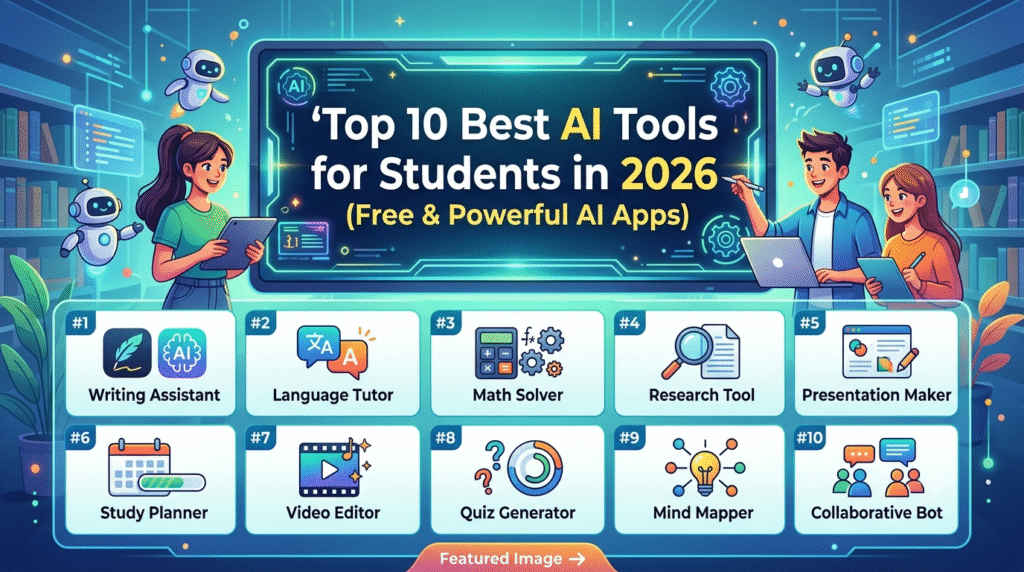
Top 10 AI Tools Students Must Use in 2026
Artificial Intelligence is no longer a futuristic concept reserved for scientists, engineers, or tech companies. In 2026, AI has become an essential part of everyday student life. From writing assignments and preparing presentations to solving coding problems and organizing study schedules, AI tools are rapidly transforming the education system across the world.
Today’s students live in a highly competitive environment where productivity, creativity, and smart learning matter more than ever before. Traditional study methods are evolving, and students are increasingly relying on AI-powered platforms to save time, improve understanding, and boost academic performance.
Whether you are a school student struggling with homework, a college student managing multiple assignments, or a competitive exam aspirant looking for smarter study techniques, AI tools can significantly improve the way you learn.
The biggest reason behind the rise of AI tools in education is simple: they make learning faster, more personalized, and more efficient. Instead of spending hours searching for answers online, students can now receive instant explanations, summaries, research assistance, writing support, coding help, and even personalized study plans through intelligent AI systems.
In 2026, AI tools are not just optional productivity apps anymore. They are becoming digital study companions.
However, with hundreds of AI applications available online, students often struggle to identify which tools are genuinely useful and trustworthy. Some are excellent for research, while others are better for writing, coding, brainstorming, note-making, or design.
This detailed guide explores the Top 10 AI Tools Students Must Use in 2026 — carefully selected based on usefulness, popularity, practical educational value, ease of use, and real-world student applications.
If used correctly, these tools can help students:
- Study smarter
- Improve writing quality
- Save time
- Increase productivity
- Learn difficult concepts faster
- Enhance creativity
- Develop future-ready digital skills
Let’s explore the best AI tools shaping the future of education in 2026.
Table of Contents
- Introduction to AI in Education
- Why AI Tools Are Important for Students in 2026
- Top 10 AI Tools Students Must Use in 2026
- ChatGPT
- Gemini
- Microsoft Copilot
- Notion AI
- Grammarly
- Canva AI Tools
- Perplexity
- QuillBot
- GitHub Copilot
- Adobe Firefly
- Comparison Table
- How to Choose the Right AI Tool as a Student
- Are AI Tools Safe for Students?
- Common Mistakes Students Make While Using AI
- Can AI Replace Traditional Learning?
- Future of AI in Education
- Final Conclusion
Why AI Tools Are Important for Students in 2026
The education landscape has changed dramatically over the past few years. Students today are expected to multitask constantly — attending classes, completing projects, preparing for exams, participating in extracurricular activities, and developing digital skills simultaneously.
AI tools help reduce this pressure by automating repetitive tasks and improving learning efficiency.
Major Benefits of AI Tools for Students
1. Faster Learning
AI can explain difficult topics instantly using simplified language and step-by-step guidance.
2. Improved Productivity
Students can complete assignments, notes, presentations, and research work much faster.
3. Personalized Learning
Many AI tools adapt according to a student’s needs and learning style.
4. Better Writing and Communication
AI writing assistants improve grammar, vocabulary, structure, and clarity.
5. Enhanced Creativity
Students can generate ideas for projects, presentations, essays, videos, and designs.
6. Coding Assistance
Programming students can debug code, learn new languages, and solve errors quickly.
7. Research Support
AI search tools save time by summarizing information from multiple sources.
Clearly, AI is becoming one of the most powerful educational technologies of the modern era.
1. OpenAI’s ChatGPT
Overview
ChatGPT remains one of the most powerful and widely used AI tools in 2026. Developed by OpenAI, ChatGPT acts as an intelligent conversational assistant capable of helping students with writing, research, brainstorming, coding, language learning, and much more.
Its natural conversational ability makes it incredibly easy for students to interact with.
Key Features
- AI-powered conversations
- Homework assistance
- Essay writing support
- Coding help
- Research summaries
- Language translation
- Personalized explanations
- Voice and image support
- Mobile and desktop access
How Students Can Use ChatGPT
Students use ChatGPT for:
- Solving math and science problems
- Generating essay ideas
- Preparing speeches
- Creating study notes
- Learning programming
- Practicing interview questions
- Improving communication skills
For example, a biology student can ask ChatGPT to explain DNA replication in simple language, while a coding student can request Python debugging help.
Pros
- Extremely versatile
- User-friendly interface
- Saves significant time
- Excellent for brainstorming
- Strong reasoning capabilities
Cons
- Sometimes produces incorrect information
- Requires verification of facts
- Advanced features may require subscription
Best For
- School students
- College students
- Competitive exam aspirants
- Writers
- Coding students
2. Google’s Gemini
Overview
Gemini is Google’s advanced AI assistant integrated deeply with Google Workspace and search technologies. It is designed to help students research information, summarize documents, and improve productivity.
Its connection with Google services makes it extremely practical for academic workflows.
Key Features
- Deep Google Search integration
- Smart document summaries
- AI writing support
- YouTube content summarization
- Gmail and Docs integration
- Real-time information access
How Students Can Use Gemini
Students can:
- Summarize research articles
- Create assignment drafts
- Organize schedules
- Generate presentation content
- Simplify complex topics
- Conduct internet-based research faster
Pros
- Excellent search capabilities
- Strong ecosystem integration
- Helpful for research-heavy tasks
- Fast performance
Cons
- Some features depend on Google ecosystem
- Premium features limited to paid users
Best For
- Research students
- College learners
- Productivity-focused students
3. Microsoft Copilot
Overview
Microsoft Copilot is integrated into Word, Excel, PowerPoint, and other Microsoft applications. It acts as an AI productivity assistant for academic and professional work.
Key Features
- AI-powered document generation
- PowerPoint presentation assistance
- Excel data analysis
- Smart writing suggestions
- Cloud integration
Student Uses
Students use Copilot to:
- Create presentations quickly
- Analyze spreadsheets
- Draft reports
- Summarize lectures
- Organize study materials
Pros
- Excellent productivity integration
- Ideal for Office users
- Strong professional features
Cons
- Best features require Microsoft ecosystem
- Premium plans can be expensive
Best For
- College students
- MBA students
- Business and research students
4. Notion Labs Notion AI
Overview
Notion AI combines note-taking, organization, project management, and AI assistance into one powerful productivity platform.
Key Features
- AI note summaries
- Task organization
- Smart writing assistance
- Collaborative workspaces
- Study planning
Student Uses
Students can:
- Organize study schedules
- Create smart notes
- Build productivity systems
- Plan projects and assignments
Pros
- Excellent organization features
- Highly customizable
- Ideal for productivity
Cons
- Slight learning curve
- Advanced features require subscription
Best For
- Organized learners
- Productivity enthusiasts
- College students
5. Grammarly Grammarly
Overview
Grammarly is one of the best AI writing tools available today. It helps students improve grammar, clarity, vocabulary, tone, and writing quality.
Key Features
- Grammar correction
- Tone suggestions
- Plagiarism detection
- Vocabulary enhancement
- Writing clarity improvements
Student Uses
Students use Grammarly for:
- Essay writing
- Email drafting
- Assignment editing
- Resume creation
- Professional communication
Pros
- Very accurate grammar checking
- Easy to use
- Great for academic writing
Cons
- Premium version needed for advanced suggestions
Best For
- Essay writers
- English learners
- College students
6. Canva Canva AI Tools
Overview
Canva’s AI tools help students create professional presentations, posters, infographics, and visual projects easily.
Key Features
- AI presentation generator
- Image generation
- Design templates
- Video editing
- Social media graphics
Student Uses
Students can:
- Design school presentations
- Create project posters
- Build resumes
- Make educational infographics
Pros
- Extremely beginner-friendly
- Huge template library
- Saves design time
Cons
- Some premium assets locked behind subscription
Best For
- Creative students
- Presentation makers
- Content creators
7. Perplexity AI Perplexity
Overview
Perplexity is an AI-powered answer engine that combines conversational AI with real-time web search.
Key Features
- Citation-based answers
- Real-time research
- Conversational search
- Academic support
Student Uses
Students use Perplexity for:
- Research projects
- Finding reliable sources
- Quick fact-checking
- Summarizing articles
Pros
- Source citations improve reliability
- Excellent for research
Cons
- Not perfect for creative writing
Best For
- Researchers
- College students
- Academic writers
8. QuillBot QuillBot
Overview
QuillBot specializes in paraphrasing and rewriting content while maintaining meaning.
Key Features
- AI paraphrasing
- Grammar checking
- Summarizer
- Citation generator
Student Uses
Students use QuillBot for:
- Rewriting assignments
- Improving sentence structure
- Summarizing articles
- Academic writing support
Pros
- Excellent paraphrasing quality
- Helpful for rewriting
Cons
- Overuse can reduce originality
Best For
- Academic writers
- Researchers
- ESL students
9. GitHub GitHub Copilot
Overview
GitHub Copilot is an AI coding assistant designed to help developers write code faster.
Key Features
- AI code completion
- Error suggestions
- Multi-language support
- IDE integration
Student Uses
Students can:
- Learn coding faster
- Debug programs
- Understand syntax
- Build projects efficiently
Pros
- Excellent coding productivity
- Supports many languages
Cons
- Can generate inefficient code occasionally
Best For
- Computer science students
- Programmers
- Software learners
10. Adobe Adobe Firefly
Overview
Adobe Firefly is a generative AI design tool focused on creativity and multimedia production.
Key Features
- AI image generation
- Text effects
- Graphic editing
- Creative design support
Student Uses
Students use Firefly for:
- Creative projects
- Graphic design assignments
- Visual storytelling
- Content creation
Pros
- Professional-quality outputs
- Excellent creativity tools
Cons
- Requires creative skills for best results
Best For
- Design students
- Creative professionals
- Media students
Comparison Table
| Tool | Best Use | Free Plan | Platform | Ideal Students | Ease of Use | Overall Rating |
|---|---|---|---|---|---|---|
| ChatGPT | General AI assistance | Yes | Web/Mobile | All students | 9/10 | 9.5/10 |
| Gemini | Research & productivity | Yes | Web/Mobile | Researchers | 9/10 | 9/10 |
| Microsoft Copilot | Office productivity | Limited | Web/Desktop | Business students | 8/10 | 8.8/10 |
| Notion AI | Organization | Limited | Web/Mobile | Productivity-focused students | 8.5/10 | 8.9/10 |
| Grammarly | Writing improvement | Yes | Web/Desktop | Writers | 10/10 | 9/10 |
| Canva AI | Design & presentations | Yes | Web/Mobile | Creative students | 10/10 | 9.2/10 |
| Perplexity | Research | Yes | Web/Mobile | Researchers | 9/10 | 9/10 |
| QuillBot | Paraphrasing | Yes | Web | Academic writers | 9/10 | 8.7/10 |
| GitHub Copilot | Coding | Limited | Desktop | Programmers | 8/10 | 9.1/10 |
| Adobe Firefly | Creative design | Limited | Web/Desktop | Designers | 8/10 | 8.9/10 |
How to Choose the Right AI Tool as a Student
Choosing the best AI tool depends on your goals.
For Writing
Use Grammarly, ChatGPT, and QuillBot.
For Research
Use Gemini and Perplexity.
For Coding
Use GitHub Copilot and ChatGPT.
For Productivity
Use Notion AI and Microsoft Copilot.
For Creativity
Use Canva AI and Adobe Firefly.
Students should avoid using too many tools simultaneously. Instead, focus on 2–3 AI tools that solve specific academic problems effectively.
Are AI Tools Safe for Students?
Most mainstream AI tools are generally safe when used responsibly. However, students should remain cautious about:
- Sharing personal data
- Uploading sensitive documents
- Depending completely on AI answers
Students should always verify important academic information from trusted sources.
Schools and universities are also creating new ethical guidelines regarding AI usage in assignments and examinations.
Responsible AI usage is becoming a critical digital skill.
Common Mistakes Students Make While Using AI
1. Blindly Copying AI Content
This can reduce creativity and cause plagiarism issues.
2. Overdependence on AI
Students should still develop critical thinking skills.
3. Ignoring Fact Verification
AI can occasionally generate inaccurate information.
4. Using AI Without Learning
AI should support learning, not replace understanding.
Can AI Replace Traditional Learning?
The simple answer is no.
AI is a powerful assistant, but teachers, classrooms, human interaction, creativity, discipline, and real-world experiences remain irreplaceable.
AI can improve education dramatically, but true learning still requires:
- Curiosity
- Practice
- Discussion
- Human mentorship
- Emotional intelligence
The best educational future will likely combine human teaching with AI-powered assistance.
Future of AI in Education
The future of AI in education looks revolutionary.
By the end of this decade, students may experience:
- Personalized AI tutors
- Virtual classrooms
- Real-time learning adaptation
- AI-generated study plans
- Interactive simulations
- AI career guidance systems
Educational systems worldwide are investing heavily in AI technologies because they improve accessibility, efficiency, and learning outcomes.
Students who learn to use AI responsibly today will likely have a major advantage in future careers.
Conclusion
Artificial Intelligence is rapidly becoming one of the most important technologies in modern education. In 2026, students are no longer using AI merely as a convenience — they are using it as a powerful academic companion that improves learning, creativity, research, communication, coding, and productivity.
The AI tools discussed in this article each serve different educational purposes. Some tools specialize in writing and grammar improvement, while others focus on research, coding, productivity, design, or creativity. Together, they represent a new generation of digital learning assistants capable of transforming how students study and work.
However, students must remember an important principle: AI should enhance intelligence, not replace it.
The most successful students in the future will not necessarily be those who avoid AI. Instead, they will be the students who learn how to use AI responsibly, ethically, and intelligently. Critical thinking, creativity, emotional intelligence, discipline, and human communication will remain essential skills even in an AI-powered world.
For beginners, tools like ChatGPT, Grammarly, Canva, and Gemini provide an excellent starting point. More advanced learners can benefit from GitHub Copilot, Notion AI, and Adobe Firefly for specialized tasks.
As technology continues evolving, AI literacy will become just as important as computer literacy once was. Students who understand how to collaborate effectively with AI systems will gain significant academic and professional advantages in the coming years.
The future of education is not human versus AI.
It is human intelligence empowered by AI.